The Last Resort: How Journalists Protect Sources at Borders with UltraLocked's Duress Code
How journalists and activists use UltraLocked's Duress Code to protect sensitive sources during high-risk travel and border crossings. A real-world case study.
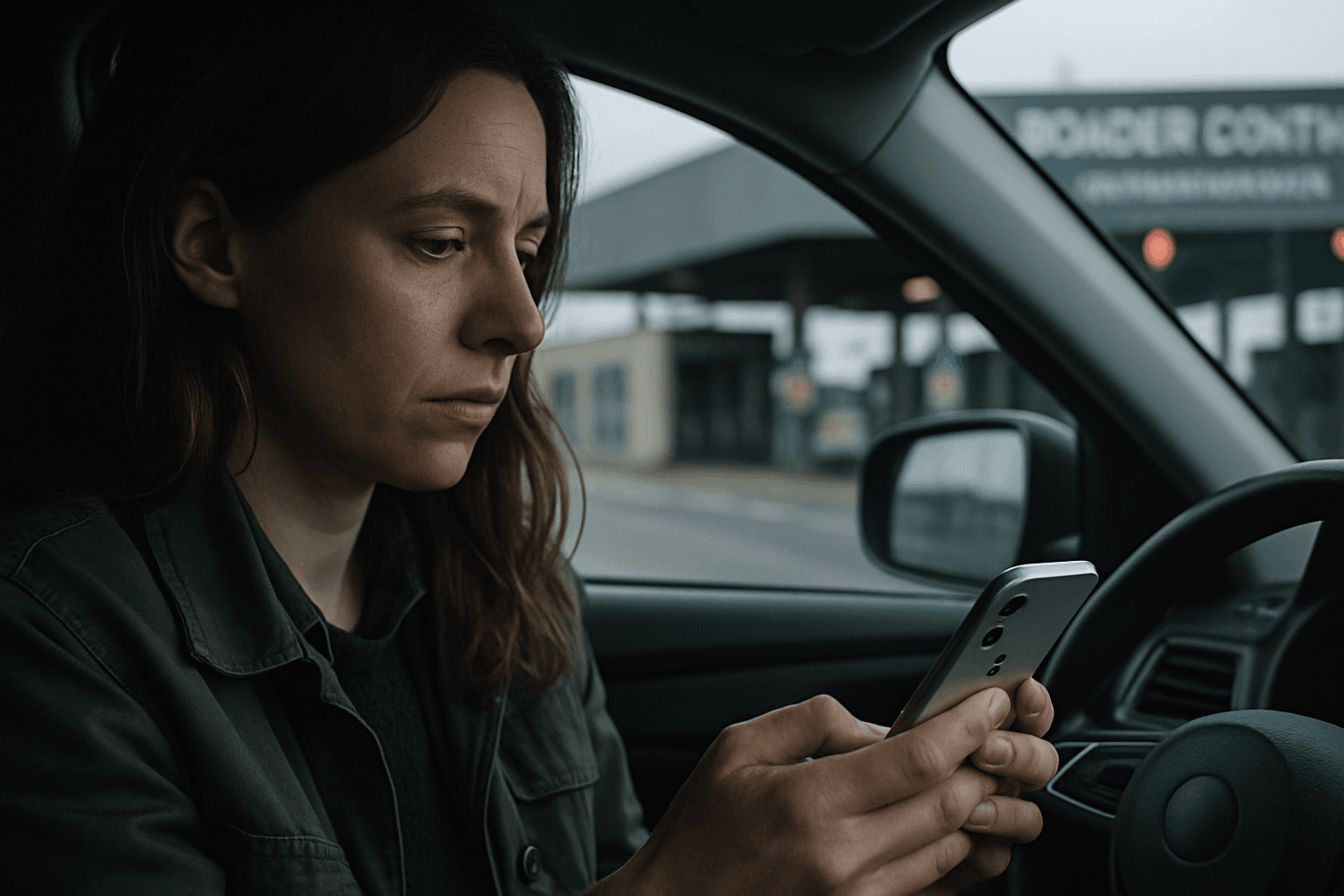
The Last Resort: How Journalists Protect Sources at Borders
The border crossing looms. Maya, a freelance journalist who spent the last month investigating corruption in government procurement, sits in her car reviewing the interviews, documents, and source contacts stored on her phone. She's crossed this particular border dozens of times. But this time is different.
Word has leaked. Someone on her investigation tipped off a government official. She doesn't know if border agents have been alerted, or if they'll detain her device. But the moment they take her phone, everything changes.
She knows her sources' names. She knows where the documents originated. A coerced unlock would expose people who trusted her with their identities—people whose safety depends on remaining anonymous.
She opens UltraLocked and enters a five-digit code that isn't her main PIN. The app unlocks normally. A decoy vault appears, filled with benign files: vacation photos, some notes about restaurant recommendations, a few work documents. Nothing incriminating. Nothing sensitive.
On her device, something else happens in the background. Silently and permanently, the encryption keys protecting her real vault—the one containing source interviews, leaked documents, and contact information—are destroyed. The underlying files are overwritten, irrecoverable. Gone.
That's the Duress Code. And for journalists, activists, and others in high-risk situations, it's the difference between maintaining editorial integrity and compromising sources.
Why Borders Are Where Journalists Lose Control
Journalists cross borders constantly. In many cases, they cross into countries where their reporting—or their sources—might be considered a threat. Border agents have broad authority to search devices. In some jurisdictions, refusing to unlock your phone can result in confiscation or detention.
Traditional encryption isn't enough in these scenarios. Full-disk encryption or app-level passwords protect your data from remote access, but they don't protect you when you're physically present and coerced to unlock. Many devices have biometric options, but most border agents are equipped to compel a PIN unlock instead. And even if you refuse, forensic tools exist to extract data from some phones.
The psychological reality of coercion compounds the technical problem. A journalist detained at a border, facing accusations of espionage or harboring illegal information, can make bad decisions under pressure. Giving up a password under duress isn't a matter of weak security hygiene—it's human.
Most security tools assume you're trying to prevent unauthorized access. They don't account for the scenario where you're forced to cooperate.
The Duress Code: Designed for Coercion, Not Convenience
UltraLocked's Duress Code flips the security model. Instead of assuming you can always refuse to unlock, it assumes you might be forced to. When that moment comes, you have a pre-configured emergency option that buys you plausible deniability.
Here's how it works in practice:
A user sets up a main PIN through UltraLocked's settings. This PIN secures the real vault—the one containing sensitive files. Then, in the Duress Protection settings, they configure a separate PIN. This second PIN is the kill switch.
When coerced, the user enters the Duress PIN instead of their main one. The app appears to unlock normally. The decoy vault opens, displaying a pre-populated set of innocuous files. To an observer—a border agent, a government official, anyone with physical access—the device looks unlocked. The vault appears to contain nothing sensitive.
But behind the scenes, UltraLocked executes an irreversible action: it destroys the encryption keys for the real vault and overwrites the underlying files. The true data is permanently gone, forensically wiped.
This design solves a problem that standard encryption can't: it protects data against coerced unlocks. The agent can see the unlocked device, inspect the decoy vault, and find nothing. The journalist doesn't have to lie about the existence of sensitive files—the files literally no longer exist on the device.
The mechanism relies on UltraLocked's hardware-secured architecture. Because cryptographic operations run through Apple's Secure Enclave, the encryption keys are bound to the device at the hardware level. Even the app developer can't extract or recover them. When the Duress Code triggers, those keys are destroyed through a secure process that can't be reversed or circumvented.
This isn't a hidden file or a cleverly disguised folder. It's a complete, unrecoverable erasure of data that appears to the observer as a normal app unlock.
The Journalist's Workflow
Consider Maya's actual situation more concretely.
A week before the border crossing, she configured UltraLocked. She set her main PIN (the one only she knows) and then configured a Duress PIN. She populated the decoy vault with boring files: some travel photos, a few restaurant bookmarks, a couple of work documents that pose no risk if seen.
In her real vault, she stored:
- Audio and text interviews with three sources who agreed to speak on condition of anonymity
- Copies of procurement contracts and budget documents that demonstrate irregularities
- Email chains showing coordination between government officials and contractors
- A document with coded contact information for her sources (the real names encrypted separately on a backup stored outside the country)
When detained at the border, agents access her phone. They ask her to unlock it. They don't accuse her of anything specific—just routine questioning. But she knows the drill. She enters her Duress PIN.
The phone unlocks. The decoy vault appears. Agents scroll through vacation photos and restaurant notes. They find nothing controversial. They hand the phone back. She crosses the border.
The real vault—the one with everything—is gone. Permanently. Her sources' identities, even if agents had somehow obtained the phone again, can't be extracted. The documents are overwritten and unrecoverable.
This doesn't protect against arrest or legal consequences based on other evidence. But it protects the sources themselves. It ensures that coercion of her device can't expose people who trusted her confidentiality.
The Cost of This Protection
The Duress Code demands a crucial tradeoff that users must understand: once activated, there's no recovery. If Maya enters her Duress PIN under coercion, her real vault is permanently destroyed. If she accidentally enters it, same result. If she misremembers her PIN and enters what she thinks is her main PIN but is actually her Duress PIN, the destruction still happens.
There's no undo. No recovery key. No backup inside the phone that survives the destruction.
This irreversibility is intentional. UltraLocked's design philosophy centers on forensic resilience. The only way to guarantee that data can't be extracted from a compromised device is to ensure it no longer exists. Any recovery mechanism—a backup key, a redundant copy, a way to reverse the action—becomes a potential vulnerability.
For Maya, this tradeoff makes sense. The files she's storing are time-sensitive. Once she's analyzed them, she transfers them off the device and stores them securely elsewhere. Her phone is a transport and interview tool, not a permanent archive.
For a user storing irreplaceable personal data on their device, the Duress Code might not be the right tool. UltraLocked's main PIN provides strong encryption. The Duress Code is the emergency protocol for scenarios where standard security can't protect against physical coercion.
Why This Matters Beyond Journalists
The Duress Code pattern applies wherever coerced access is a real threat. Activists in countries with surveillance-focused governments. Researchers studying illegal activities. Human rights documentarians. Cryptographers protecting signing keys.
What unites these scenarios is a fundamental asymmetry: the user has something worth protecting, and someone with physical access to the device has leverage to force disclosure. Standard encryption assumes the attacker only has digital access. The Duress Code assumes the attacker has the device and the person.
UltraLocked doesn't solve the underlying legal risk. A journalist can still be arrested, detained, or prosecuted. But the Duress Code removes one dimension of that risk: the forced exposure of sources.
For organizations that depend on confidential communications—newsrooms, legal firms, NGOs—the Duress Code provides a clear technical mechanism for source protection during high-risk travel or operations.
Setting Up Your Emergency Protocol
If you're a journalist or operate in a high-risk environment, here's what you need to know:
First, configure your main PIN through UltraLocked's initial setup. This is your everyday password.
Then, navigate to Settings and select Duress Protection. You'll configure a separate, memorable PIN. This PIN should be different enough from your main one that you can't accidentally mix them up under stress.
Populate your decoy vault with benign files before you need it. Store your real sensitive data in your main vault, accessed with your main PIN.
Understand that using the Duress Code is permanent. Don't configure it unless you've thought through whether this protection aligns with your actual threat model.
For detailed setup instructions, consult UltraLocked's documentation on Emergency Protocols. If you operate in a genuinely high-risk environment, consider consulting with your organization's security team before deployment.
The Duress Code isn't paranoia. It's a rational response to a real threat. For people like Maya, it's the difference between protecting sources and exposing them.